Comparison
Radar Chart
Select one or more materials to view their properties.
Materials in comparison
3/6
Note: on the Economy axis, a higher value means a lower cost per kg.

Technical guide to a curated set of materials. Compare print-quality tradeoffs and see how to use the calculator .
Comparison
Select one or more materials to view their properties.
3/6
Note: on the Economy axis, a higher value means a lower cost per kg.
Each axis shows a technical property. Scales use the full material range and remain fixed when the selection changes. A larger area is not necessarily better for your application.
Technical data
| Parameter | PLA Basic | ASA | PET-CF |
|---|---|---|---|
| Printability [0-100 index] | 96 | 38 | 56 |
| Recommended layer [mm] | 0.12 - 0.24 | 0.20 - 0.28 | 0.20 - 0.28 |
| Price [CHF/kg] | 18 | 23 | 83 |
| Density [g/cm3] | 1.24 | 1.07 | 1.29 |
| Tensile strength [MPa] | 35 | 45 | 74 |
| Elastic modulus [GPa] | 2.58 | 2.10 | 4.73 |
| Elongation at break [%] | 12.0 | 10.0 | 4.0 |
| Heat deflection temperature [C] | 57 | 95 | 205 |
| Extrusion temperature [C] | 190 - 230 | 240 - 260 | 260 - 290 |
Calculator
This section explains which parameters affect the final price, lead time and the final outcome, and how to read the result correctly.
Calculator
The calculator returns the final print price, print time and material consumption.
In both modes: you can choose both material and color.
Basic mode
In Basic you choose material, color and quality.
Quality: Draft = 0.28 mm, 15% grid. Standard = 0.20 mm, 15% grid. High Definition = 0.12 mm, 20% gyroid.
Best if: you do not need to manage each print parameter in detail.
Advanced mode
In Advanced you directly control material, color, nozzle, layer height, infill, pattern and supports.
Active profiles: Available combinations depend on the active machine profiles.
Best if: you already know the exact settings you want to apply to your file.
Below you can find the controls currently available in the calculator. In Advanced mode, these are the parameters that affect the final price, lead time and the final finish.
Basic and Advanced
The material can be chosen from the active variants currently available, each one linked to the colors that can be ordered.
It affects material price and the options available in the calculator.
Basic
In Basic you do not set layer height and infill separately: you choose a predefined preset.
It automatically defines layer height, infill pattern and density.
Advanced
The calculator currently offers 0.40 mm and 0.60 mm nozzles. Each nozzle unlocks different layer heights and may involve changeover costs.
It affects which layer heights can be selected and may influence setup cost.
Advanced
The available layer heights depend on the selected nozzle.
It directly affects print time and part definition.
Advanced
The infill percentage is set manually to match the desired balance of strength, weight and lead time.
It increases or reduces weight and time depending on the chosen density.
Advanced
Patterns such as grid, gyroid and cubic are available.
It affects the internal structure of the part and can change time, material use and mechanical behavior.
Advanced
You can enable or disable them directly according to the geometry of the file.
It changes the print path and can increase both time and material.
These examples help explain how layer height, nozzles and infill affect the result. In the calculator, the available nozzles are 0.40 mm and 0.60 mm, and each one unlocks different layer heights.
Layer
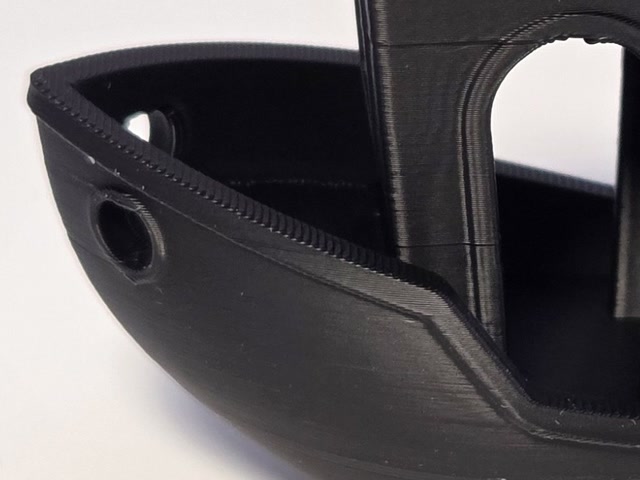
Miniature or small text with fine detail.
Maximum surface detail.
Long print time.
More visible detail, but longer print times.
Layer
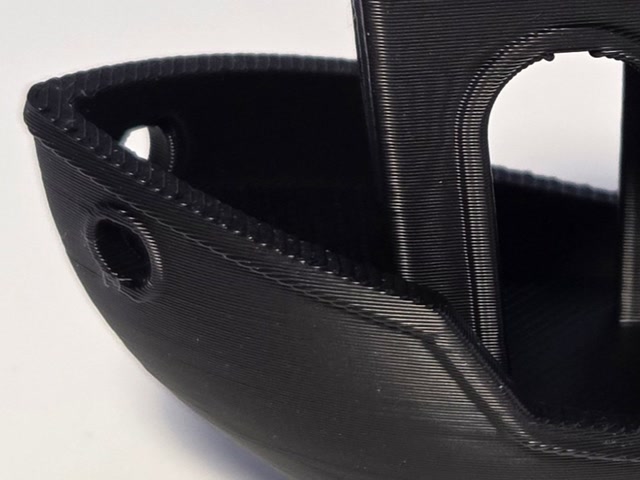
Standard functional part or technical cover.
Balanced quality and speed.
Less detail than 0.12 mm.
Balanced setup, suitable for a standard use case.
Layer
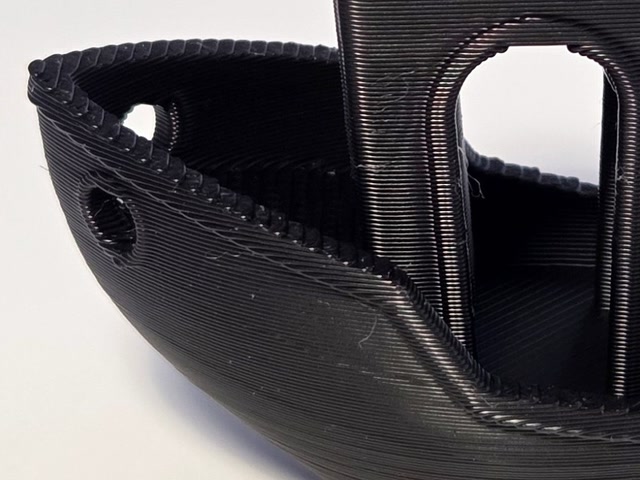
Test bracket or quick prototype.
Lower lead time and larger parts.
More visible layer stepping.
Faster print, with a rougher finish.
Nozzles
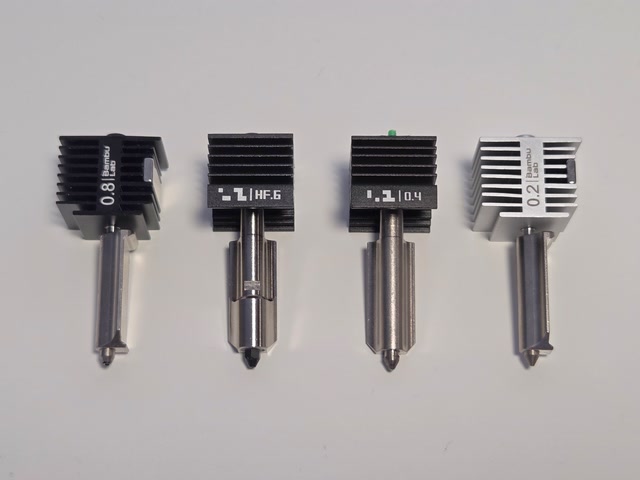
0.40 mm for general use, 0.60 mm for faster or stronger parts.
Choosing the right balance between detail and productivity.
In the calculator, 0.40 mm opens finer layers; 0.60 mm favors taller layers and faster printing.
Infill
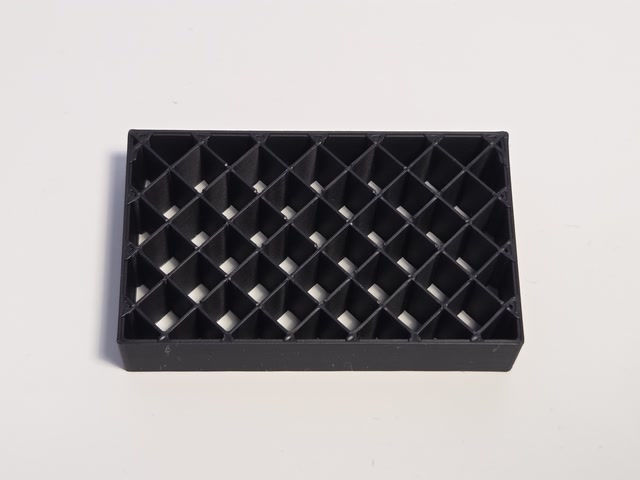
Decorative object or lightweight mockup.
Reducing weight and lead time.
Limited structural strength.
Uses less material and usually keeps print time lower.
Infill
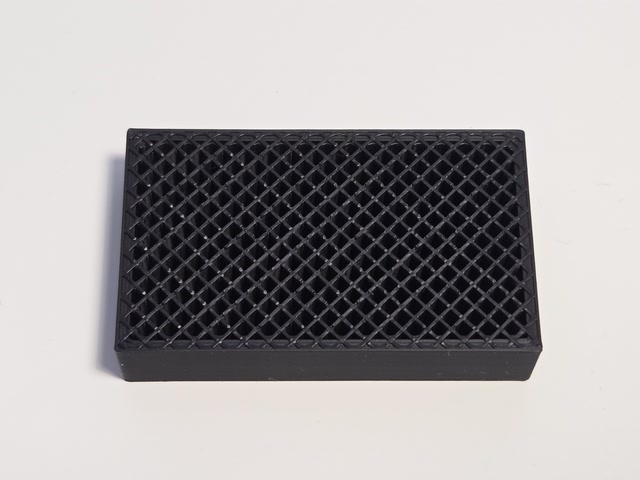
Component under mechanical load.
Higher functional strength.
Higher weight and longer print time.
Increases material and print time, moving closer to a more solid part.
PETG
We also offer a PETG variant from Extrudr for food-contact projects. Extrudr’s regulatory sheet declares compliance with EC 1935/2004 and EU 10/2011 for the material.
This does not automatically certify the printed part: suitability depends on the food, temperature, contact duration and printing and cleaning conditions. Tell us the intended use so we can assess it.
Extrudr PETG — regulatory information (PDF)Sources
Here you can find all the sources used for the technical data and material descriptions.


